01
Guests request from their phones
Guests enter their name, search the catalog, and add songs to the live queue.
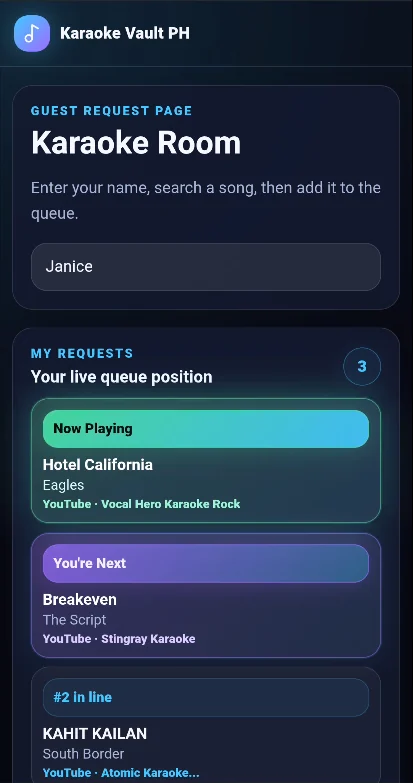
Phone-powered karaoke request system
Karaoke Vault PH gives parties, events, and small venues a cleaner karaoke flow: guests request songs by room code or QR, the host manages the queue, and the Player/TV screen keeps everyone updated.
How it works
From guest request to big-screen playback, the system is designed around the real flow of karaoke hosting.
Guests enter their name, search the catalog, and add songs to the live queue.
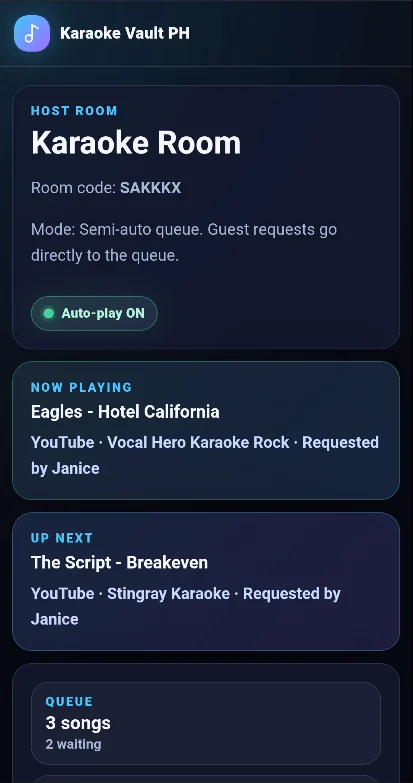
The host sees what is playing, what is next, and how many songs are waiting.
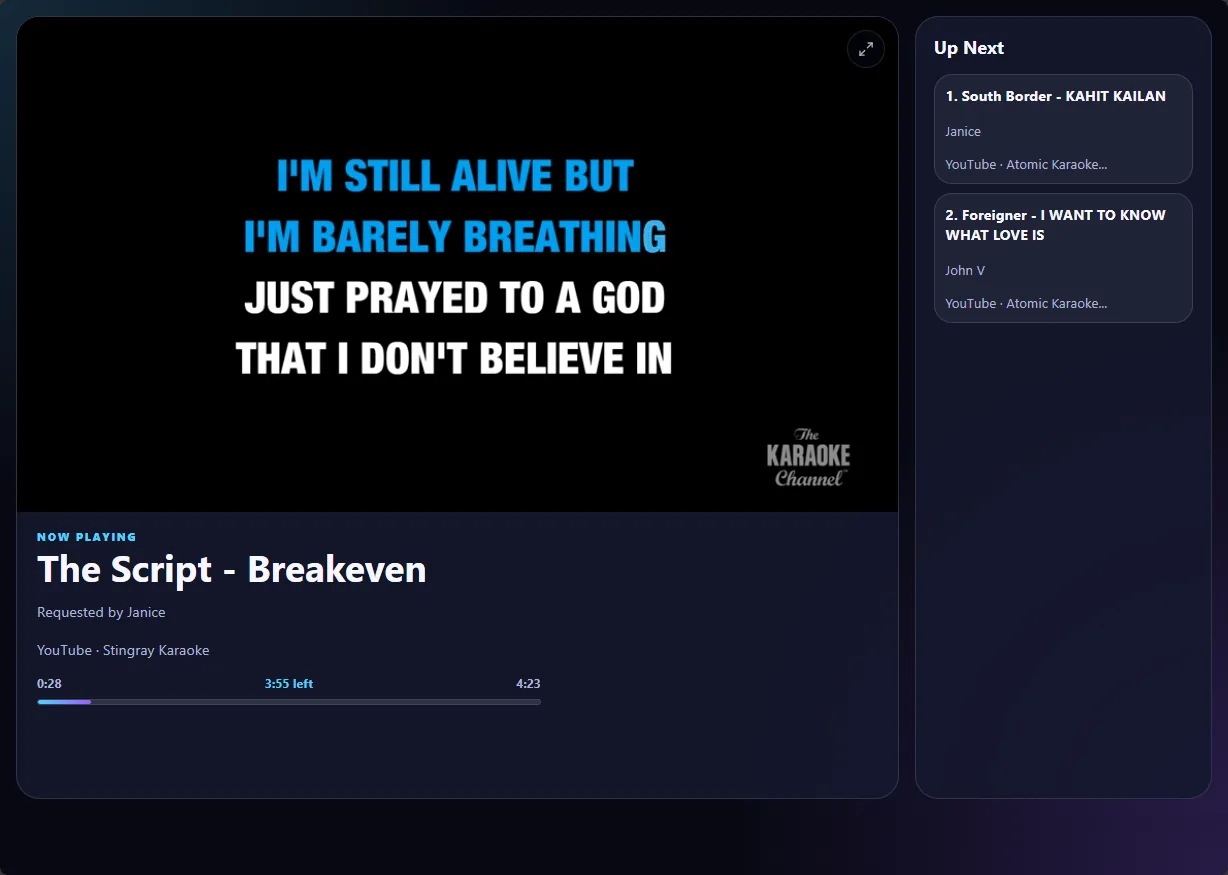
The main display shows the karaoke video, now playing details, and the up next list.

Features
Keep the party moving while guests request songs without interrupting the host.
Guests use their own phones. No app install required.
Search by artist or song title from the cached YouTube karaoke catalog.
View now playing, up next, and waiting songs from the host room.
Separate screens for requesting, hosting, playback, and TV display.
Guests join quickly without typing a long URL.
Great for birthdays, reunions, barkada nights, private events, and small venues.
Live queue visibility
The TV/player view helps reduce repeated questions like “what song is next?” while the guest page shows each singer their queue position.
Use cases
Turn song requests into a smooth self-service experience.
Let friends and family request songs without crowding around one laptop.
Perfect for birthdays, reunions, and celebrations where everyone wants a turn.
Useful for cafés, lounges, private rooms, and karaoke nights with rotating singers.
Bring a modern request system to events without complicated setup.
Also available
Karaoke Vault PH Local is designed for hosts who want to play their own local MP4 karaoke library from a Windows computer, while guests request songs from phones over the same Wi-Fi network.
Learn about KVPH Local
Plans
Paid beta / early access plans include the same phone-powered request system and searchable cached YouTube karaoke catalog. Choose based on how long you need access and how many rooms you want to run, then message us on Messenger for the latest pricing and setup recommendation.
Party Pass
1 room • 1 week access
Perfect for birthdays, reunions, barkada nights, and private celebrations.
Event Pass
up to 3 rooms • 1 month access
Great for regular hosts, weekend events, small venues, and repeat karaoke nights.
Pro Venue Pass
up to 5 rooms • 2 months access
Best for resorts, cafés, KTV-style rooms, party rentals, and serious event operators.
Custom
manual arrangement
For special events, longer access windows, or setups that need more flexibility.
Want to test first?
Demo gives you 1 room for 1 hour so you can check the guest request flow, host queue, and Player/TV page before choosing a pass.
Recommended setup
For the smoothest karaoke night, keep the main karaoke display, host control, and guest requests clearly separated.
Important notes
Internet is required. Karaoke Vault PH is web-based and needs a stable connection for room access and YouTube playback.
YouTube ads may appear. Non-Premium YouTube accounts may see ads during playback.
Smart TV browsers can vary. Some older TV browsers may not support all Player/TV features, so HDMI from a laptop or PC is the recommended setup.
YouTube availability can change over time. We routinely check the catalog and replace unavailable videos with working versions when possible.
FAQ
No. Guests can use their phone browser by scanning a QR code or entering a room code.
Karaoke Vault PH is a request and queue system that plays karaoke videos from YouTube using a cached catalog. YouTube video availability can change over time, so we routinely check the catalog and replace unavailable videos with working versions when possible.
It depends on the TV model and browser. Some Smart TV browsers are limited or outdated and may not fully support the Player/TV page. For the most reliable setup, we recommend opening the Player/TV page on a laptop, desktop, Android TV box, Chromecast/Google TV device, or another modern browser connected to the TV.
Guest requests work well on phones, including iPhones. However, some iPhones may have browser limitations with true fullscreen playback, so they are better used for guest requests rather than the main karaoke display.
For now, payments and access are handled manually through Messenger using options such as GCash or PayPal.
Yes. Demo access is available by request through Messenger. It currently includes 1 room for 1 hour so you can test the request, queue, and Player/TV flow.
Karaoke Vault PH is currently in paid beta / early access. Core hosting, guest request, queue, and Player/TV features are working, while setup support and access are still handled manually.
Yes. It is designed for parties, family events, mobile hosting, and small venue karaoke nights.
Ready to try it?
Message us to request a demo, ask questions, or choose the best pass for your setup. New customers should message first because access is manually activated.