01
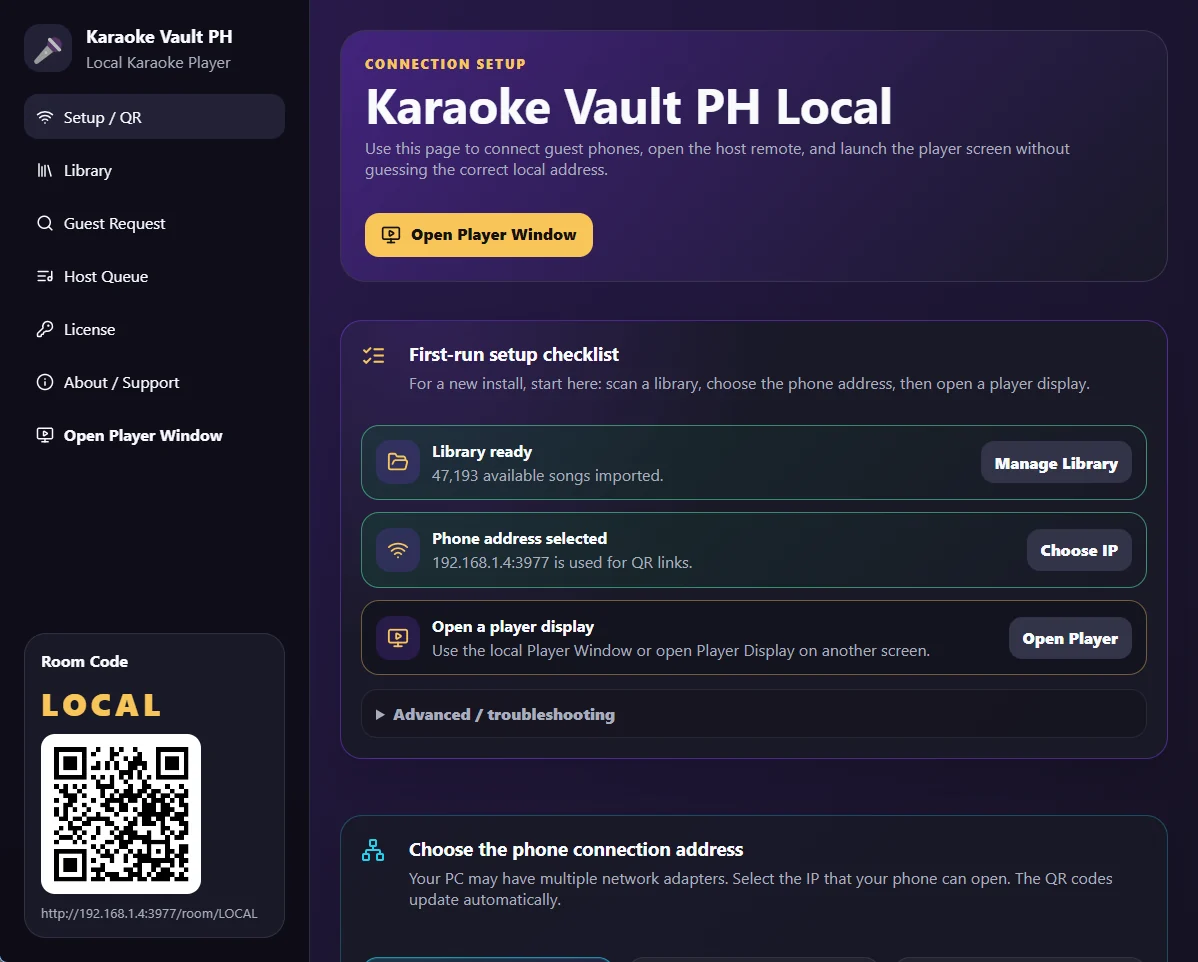
Start the local player and choose the phone address
The setup screen shows your room QR code and the local address guests should open. This helps avoid typing the wrong IP address.
Local Windows karaoke player
Karaoke Vault PH Local plays your local MP4 karaoke library on a Windows computer while guests request songs from their phones through the same Wi-Fi network. No passing the laptop around. No guessing the player address. Just scan the QR, search, request, and sing.
How it works
The app runs on your Windows computer, opens a local room, then lets guest phones connect through your local Wi-Fi or hotspot.
The setup screen shows your room QR code and the local address guests should open. This helps avoid typing the wrong IP address.
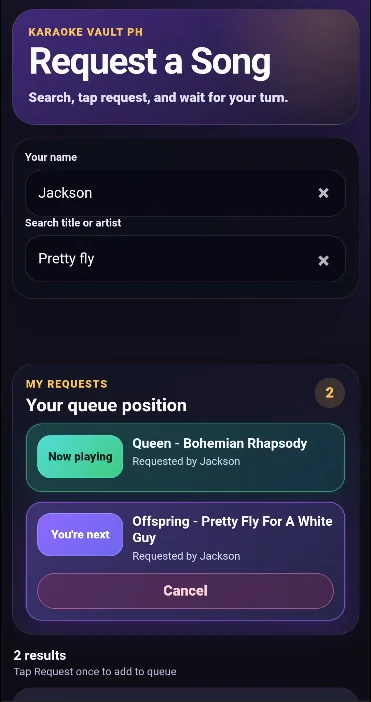
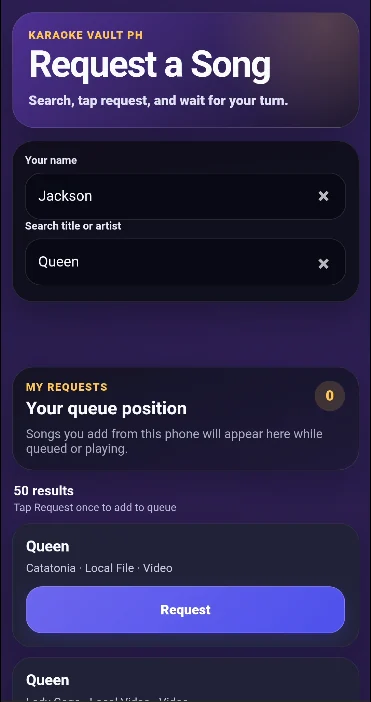
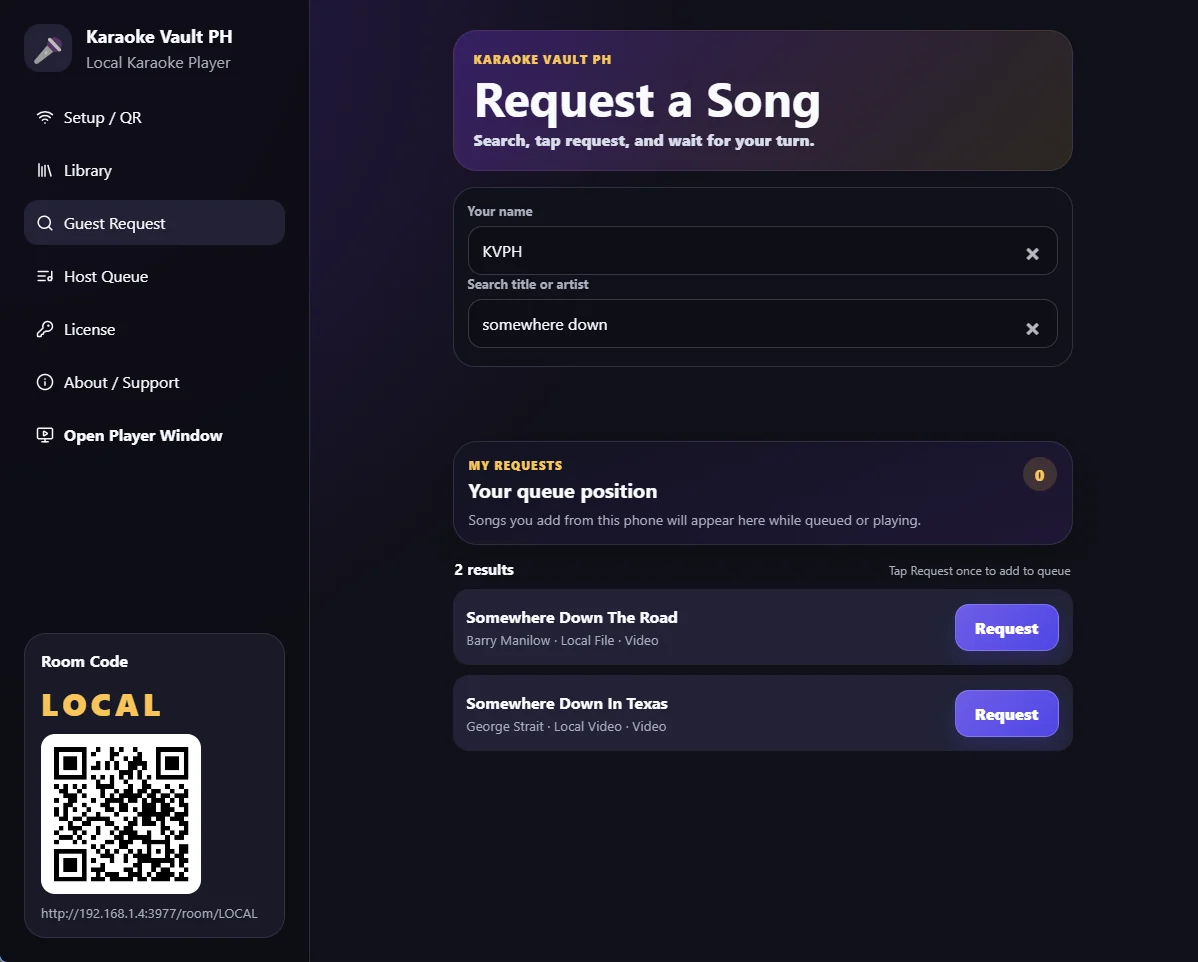
Guests enter their name, search your local karaoke library, and tap Request once to join the queue.
The guest phone shows now playing, queue position, and cancel options for that device’s requests.
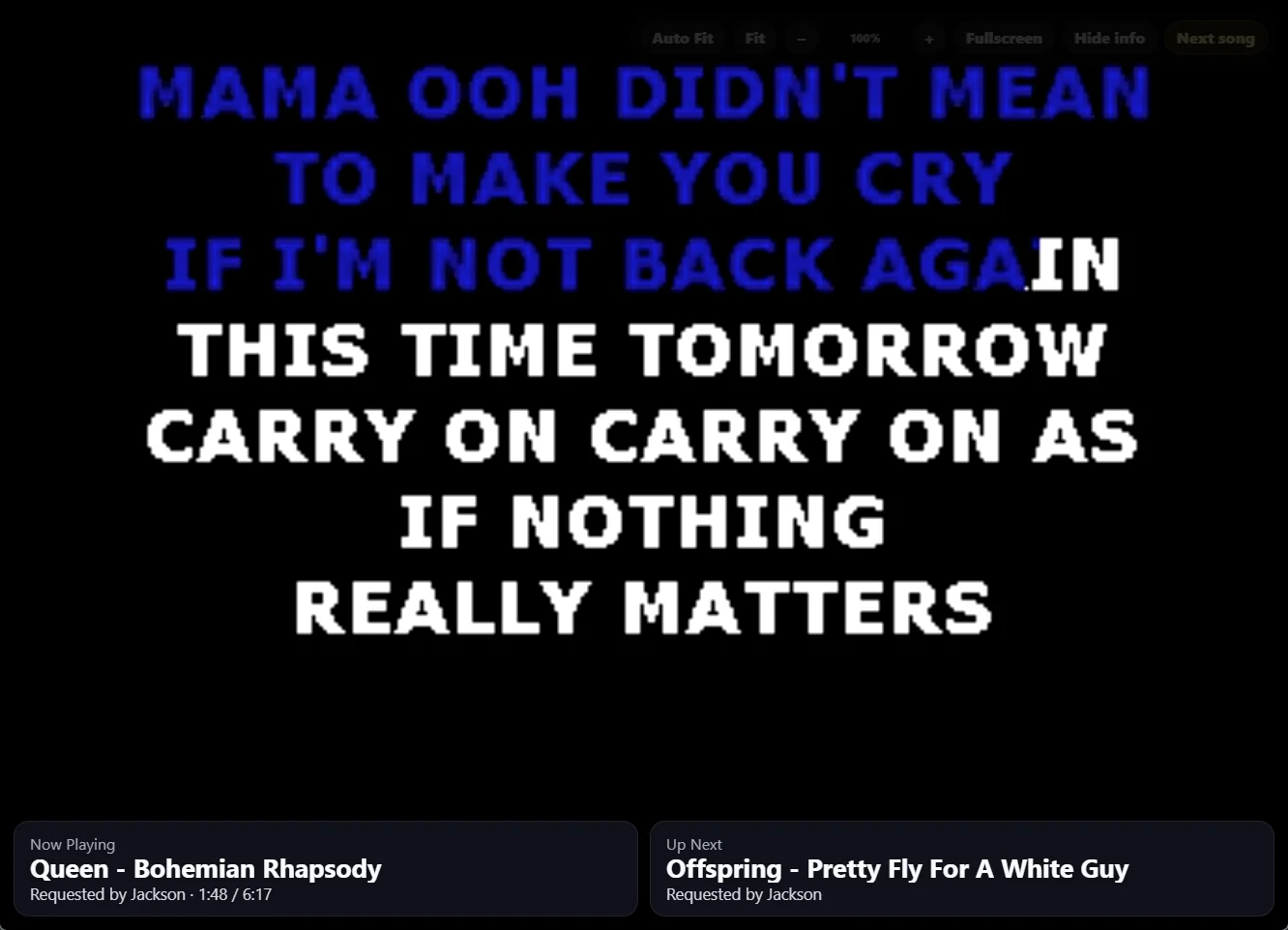
Player display
The player window is designed for the main display or TV. It keeps the karaoke video front and center while showing the current singer and the next song at the bottom.
Features
Everything is focused on making local karaoke easier to run from one Windows computer.
Import and search your available local karaoke songs from the app library.
Guests request songs through a browser on the same Wi-Fi network.
Show the room QR and local URL so guests can connect quickly.
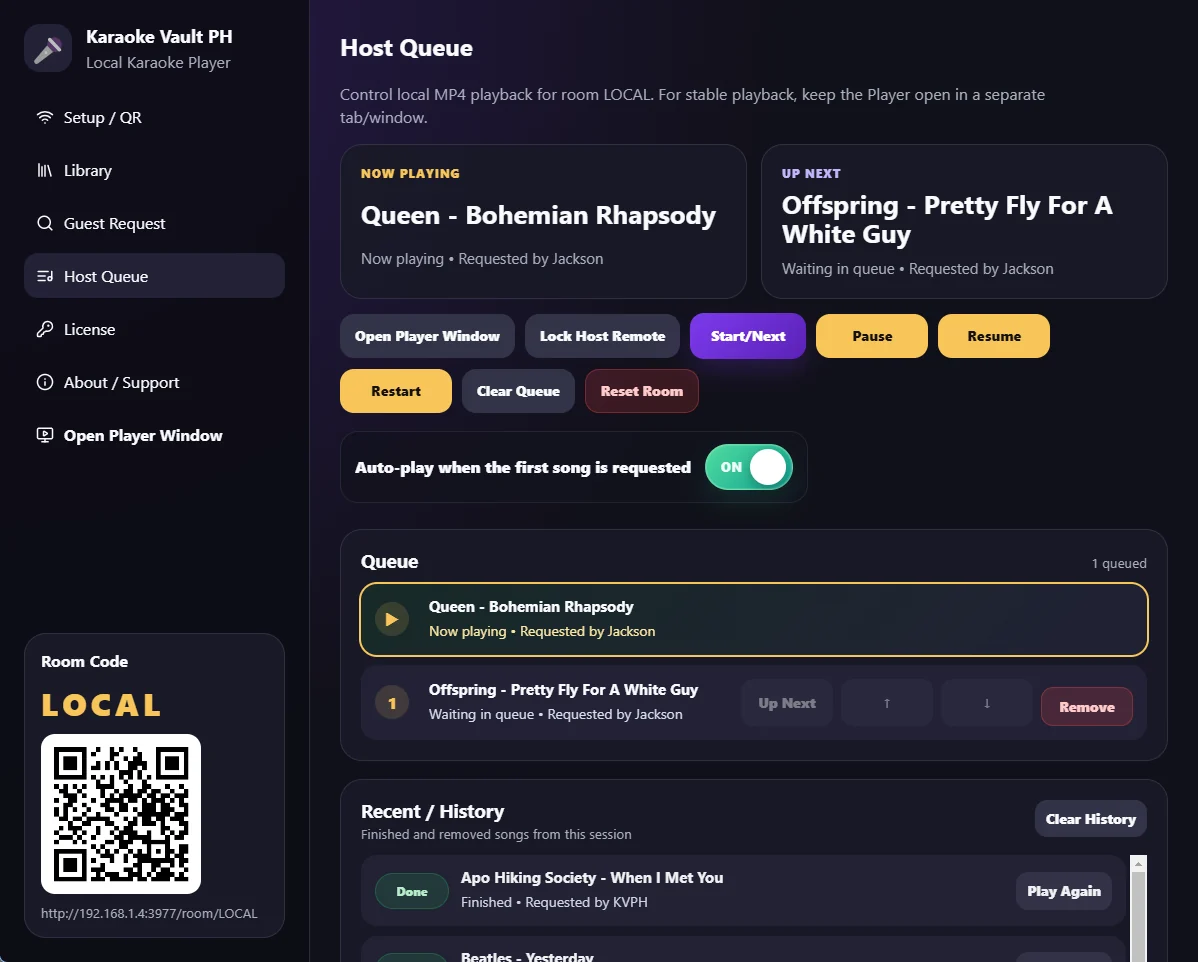
Start, pause, resume, restart, clear, remove, play again, and manage what comes next.
Keep playback on a second screen while the host controls the queue from the admin page.
Designed for controlled access, local installs, and future device-bound licensing workflows.
Host queue
The host page gives you the current song, up next card, queue controls, and recent history in one place.
More app views
Requirements
This version is for people who want to run karaoke from their own Windows computer and local song files.
Use a Windows PC or laptop as the local karaoke player and host controller.
Prepare your MP4 karaoke library on the computer or an attached drive.
Guest phones must be connected to the same local network to open the request page.
Use HDMI or a second display for the player window while the host keeps the queue page open.
Available for demo
Message Karaoke Vault PH to ask about the Windows local player, setup requirements, demo access, and pricing.